
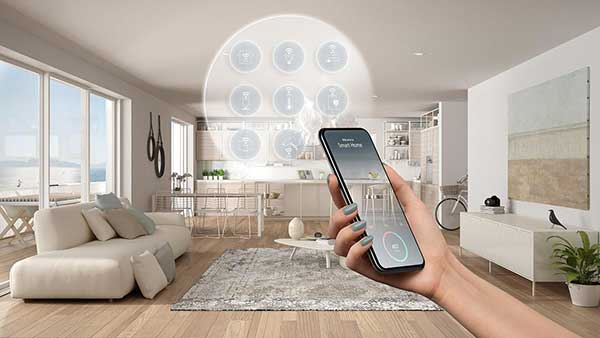
Smart homes, smart cards, smart buses — almost everything seems to be smart these days. The futuristic vision of dwellings that do our bidding at our every utterance is here, thanks to smart home technology.
Until recently, we were the central control hubs for our homes, balancing our needs, bills, and comfort. But now, smart home apps offer all-in-one home control and intelligent learning to improve our daily lives, save money, and reduce our carbon footprint.
Homes are now just a smart home app away from joining the 21st-century digital age. Read on to discover how the Internet of Things (IoT) and smart home technology may change our lives.
What Is Smart Home Technology?
Smart home technology helps to connect as many smart home appliances as possible to the internet. It’s not just a smartphone or television, but everything from speakers to appliances to clocks, window blinds, and more. A home full of connected devices is a powerful tool. Now imagine all these smart devices could communicate, gather information, and act upon our commands whether we’re at home or the other side of the world — all from the comfort of our mobile phone, tablet, or computer.
A smart home app is the next step in home automation, giving rise to the birth of smart homes. But before we look at smart home apps, let’s understand what smart devices are and how the IoT is advancing home automation.
What Makes Smart Home Products “Smart”?
A “dumb” TV can only receive signals while a smart TV connects to Wi-Fi and can run applications and other smart devices from its dashboard. What unites our “dumb” and “smart” TV is that human input is still required. Neither TV acts without human input.
Many smart devices need us to program them or activate them, usually from a phone, tablet, or a voice-activated speaker like an Amazon Alexa. Essentially, all of these act as modern remote controls to the smart device.
As more and more appliances offer smart connectivity, the programming and management increase. Setting each device and task via individual apps is called single app control. It can quickly get confusing if you install lots of them. Set the TV timer, turn the lights on, and don’t forget to activate the pet feeder to give Millie the black labrador her dinner at 5 pm.
A smart home app brings together all these smart appliances so you can run them from one tablet, computer, or mobile phone — now you have home automation.
However, many argue that a truly smart home is when devices talk amongst themselves and react intelligently to our behavior and moods. For example, maybe the fridge offers you a healthy snack because your bathroom scale has noticed you’ve put on a few pounds.
Or perhaps it’s a freezing winter’s morning. The sleep pattern app realizes you are waking up, so it sets the heating to come on, and knows you’re a bit thirsty, so flicks the tea kettle on, too.
This anticipation and learning process is called Artificial Intelligence (AI), when appliances start to think and act for themselves while interacting with other machines. Smart home apps cannot think independently, but they can respond to various inputs.
What AI and smart home systems require to function is the IoT.
What Is the Internet of Things (IoT)?
The Internet of Things (IoT) is a network of physical objects or appliances that are fitted with sensors and software so they can connect with other devices over the internet, as well as exchange data. Information can be recorded and stored as the physical world fuses with the digital world.
There are an estimated 10 billion IoT devices today, with an estimate of 22 billion by 2025. Many are everyday objects like thermostats and baby monitors.
What Type of Smart Appliances Are There?
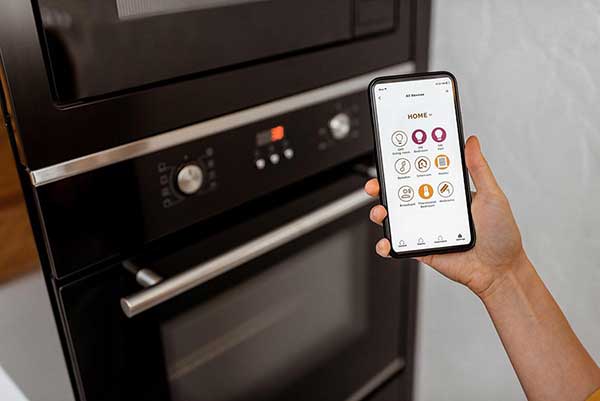
There are many types of smart appliances on the market, from smartphones to smart window shades. These are just the tip of the smart home app iceberg — other devices include:There are many types of smart appliances on the market, from smartphones to smart window shades. These are just the tip of the smart home app iceberg — other devices include:
- TVs that run apps, connect to laptops, and more.
- Lightbulbs that dim, turn on and off, or change color.
- Thermostats that control heating and air conditioning.
- Pet feeders to feed your favorite furry friends while you’re at work.
- Baby monitors to monitor a baby’s sleep, growth, and movements.
- Video doorbells to record, announce, and even recognize arrivals.
- Home security cameras that can activate heating, open door locks, and even know when you are close to home via GPS location.
- Ovens that let you watch your food cooking and have variable cooking temperatures among many other options.
- Dog cameras that allow you to talk to your pet, throw treats, and record what they do. (We’ve all seen the videos.)
- Smart beds that measure your sleep trends with biometric sensors and can help you sleep better.
- Wi-Fi-controlled air conditioner units.
- Robot vacuums that mop as well!
- Smart scales that track BMI, body water percentage, heart rate, muscle mass, protein level, and more.
What is the Philips Hue Smart Light Bulb?
The Philips Hue smart light bulbs aim to take smart home lighting to new levels. There is a wide range of lighting options, from standard bulbs to path lights and ceiling lights.
The Philips Hue app’s features include changing the color of the lights, mood settings, scenarios, and a GPS that automatically turns the lights on when you return home. You can even turn a favorite photo into a scene to light up the room. Alternatively, you can run it on Android or iOS operating systems, as well as smart hubs.
Do I Need Smart Plugs?
The main attraction of smart plugs is the ability to turn things on or off remotely, which can be great for saving money.
Smart plugs connect via Wi-Fi to smart home apps. They plug into existing wall sockets with appliances that are then plugged into the smart plug. They can be programmed to turn on and off at certain times, meaning you could set a slow oven to turn on at a particular time or lamps to switch on and off to give the impression that someone is home. They can be set to charge a mobile phone for 2-3 hours instead of all night.
Smart plugs also show you how much energy a device is using. This is great for saving energy and money from “vampire” appliances — those using electricity when on standby, estimated to cost North Americans around $100 a year. Non-smart devices plugged into a smart plug can also be turned on and off, thanks to the smart plug.
How Do You Connect Smart Devices and Smart Home Apps?
The first step is to connect these smart appliances to Wi-Fi, usually within the home.
Then you can program these machines to respond to specific circumstances in set ways, such as putting on the air conditioning before arriving home. It would become time-consuming to set every item individually — imagine purchasing just half of all these smart appliances! This is where the smart home app steps in.
How Does a Smart Home App Work?
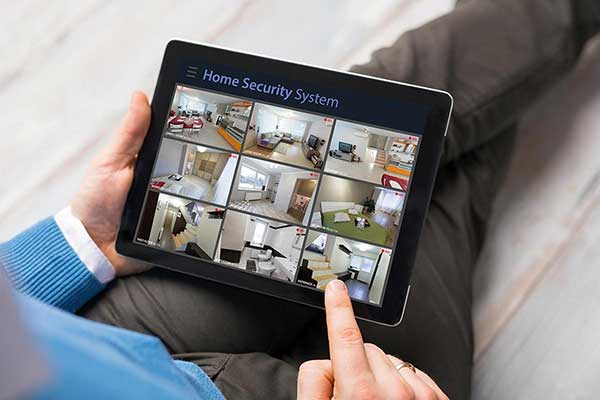
There are three ways to integrate all these smart appliances into one centralized control center, thanks to their IoT and Wi-Fi connections. There are three ways to integrate all these smart appliances into one centralized control center, thanks to their IoT and Wi-Fi connections.
Central control: A wall-mounted central control unit is fitted, usually by professionals, and allows control of all connected smart devices from the panel, a smartphone, tablet, or computer. These units are often expensive and used by businesses and high-end residences.
Smart hubs: Smart hubs help to tie together various devices and systems via their centralized platform. They connect smart devices through Wi-Fi to a router and often come with a smart home app so you can manage the hub remotely. Voice-activated versions also exist — popular examples include Amazon’s Echo Dot and Google’s Nest.
Smart home app: These apps permit Wi-Fi-connected smart devices to be operated from anywhere via smartphones, laptops, or computers, turning them into remote controls for a home. They often work in tandem with smart hubs.
There is some overlap with all these options because you can connect smartphones, tablets, or computers to smart devices, and smart hubs to smart home apps.
Essentially, these control apps collect and collate information about devices and allow humans to operate and program them. In addition, many create handy shortcuts and scenario settings, such as a “bedtime” setting. This scenario could include presets such as dimming the lights, warming the electric blanket, popping some food into the cat’s bowl at a certain time, and turning on the home security system when no one is home.
Connect the smart home app with Alexa, Nest, or other voice-activated speakers. Just by speaking, you can operate your smart devices. Once set up, you can also add family members, so they can operate devices from an app.
Enter your ZIP Code and compare electricity rates
How Can Smart Home Apps Help?
Centralized control of smart home devices through smart home apps offers the next step to home automation. These apps are also a bridge to energy savings. Smart home apps can help us learn how to use energy at home and highlight potential energy savings through behavioral changes.
Away from home and worried you left the air conditioning on? Check the app and turn it off. Decided to go for a run instead of going home? Use the app to delay the heating coming on. You can set timers for washing machines and dishwashers to come on during the night when electricity prices may be lower, facilitating sustainability and a green living lifestyle.
During hot summers, smart home apps can lower window blinds at specific times to block the sun from heating the home (and potentially saving money on air conditioning). The blinds can be lifted in winter to let the sun’s warming rays come in, resulting in a warmer house that consumes less energy to feel comfortable.
What’s more, apps can pinpoint devices that use a lot of energy, identifying possible maintenance issues or when it’s time to replace them with more energy-efficient models.
It does take some time to set up all these features, hooking smart appliances to the home’s Wi-Fi, then to the smart home app, and then programming it. Some activities, such as turning a smart lightbulb on and off, are relatively inexpensive and straightforward to set up. However, advanced surveillance, designing scenarios, and complex operations require more time and possibly more investment in more advanced devices.
Be prepared to have some patience while setting up and troubleshooting your new system.
Why Would I Need a Smart Hub?

A smart hub is a physical product that connects to your router, permitting it to access your internet and network of smart home devices. Many smart devices communicate using wireless protocols Z-Wave or ZigBee. Unfortunately, routers cannot process or understand Z-Wave or ZigBee protocols. This is where the smart hub steps in. It acts as a translator between a smart home app and all the connected smart devices.A smart hub is a physical product that connects to your router, permitting it to access your internet and network of smart home devices. Many smart devices communicate using wireless protocols Z-Wave or ZigBee. Unfortunately, routers cannot process or understand Z-Wave or ZigBee protocols. This is where the smart hub steps in. It acts as a translator between a smart home app and all the connected smart devices.
Examples of smart hubs include:
- Samsung SmartThings
- Wink Hub
- Insteon
- Amazon Echo 4th-generation or Echo Dot
- Apple Homepod mini
- Google Nest
As with all emerging technologies, not all smart device functions work on all smart hubs — it’s best to check compatibility before you buy anything. Smart home hubs help centralize your connected devices in one place. However, it takes time to set up a smart hub and input your preferences.
Smart hubs usually come with a smart home app to run alongside it. These can be downloaded to your tablet, smartphone, or computer. The smart home apps allow you to control the hub remotely, and therefore the devices, as well as see real-time data about your devices.
Smart hubs can also connect to popular smart speakers, like Siri, Alexa, and Google Assistant. These voice-activated digital assistants open up the world of home automation. With some initial effort, your home could soon respond to your command. “Kitchen lights on! Heating off! Cook the chicken!” And so on.
But the real strength of smart hubs and smart home apps is that they allow you to build complex scenarios, often called modes, scenes, or routines. These could include things like “sleeping” or “on vacation.”
For example, a “wake up” routine may see the smart hub turn on the (pre-loaded) coffee maker, pull up the smart blinds, and play your favorite morning song. Once the song is over, the routine settings turn on the bedroom, hallway, and kitchen lights so you can walk (or dance) safely to find your brew ready.
Hub-based systems use temperature, motion, and contact sensors to create nuanced automation and security routines. Scenarios include making the air conditioning turn on if the thermostat reaches 80 degrees Fahrenheit. Without a hub, sensors use Bluetooth.
The possibilities are many. However, the more complex the scenario, the trickier the inputting. There may be a lot of troubleshooting involved, and there is a steep learning curve for those that want more from their smart hub or smart home app.
Why Do I Need a Smart Home App?
Smart hubs, speakers, and central control panels are great when someone is at home. A smart home app means remote control from a laptop, smartphone, or computer.
Digital assistants and smart speakers — Google Home, Amazon Echo, and Apple HomePod — are hybrids that are changing the market. The speaker is not technically a remote control, and they’re not really smart hubs either. Still, they connect smart devices and can help build routines and scenarios. For instance, your “home cinema” setting may dim the lights, turn on the smart TV, and make sure the washing machine isn’t running.
Here are some popular smart home apps that provide a main central control point and some of their functions:
Honeywell Home: Thermostats, security cameras, water leaks, and freezing prevention systems. Geofencing can detect your arrival or departure to kickstart a predetermined scenario.
AT&T’s Smart Home Manager: Allows AT&T customers to manage smart devices and data usage, including parental controls like restricting internet access times for children.
Alexa app: Not just for Amazon devices, the Alexa app can run routines, monitor devices, organize your day, and more.
Samsung Smart Home app: Works with the Ecobee smart thermostat, some home security camera systems, and Google Nest devices.
Google Home app: Control lights, cameras, TVs, and more. Compatible with Nest thermostat, Philips Hue bulbs, Honeywell Home, and WeMo smart products. Google Nest speakers work with Google Assistant.
Apple Hoooktme: Set scenes and control devices for a smart home from iPhones, iPads, and MacBooks. Connects with Apple HomeKit products.
Take care when buying smart technology. They have different operating systems and not all items are universally compatible.
Android Systems vs. iOS (Apple) Systems
The two leading global operating systems are Android and Apple’s iOS. Not all smart devices work with both (always check first) — iPhone apps usually need to be downloaded from the Apple store and Android users need to download smart home apps from Google Play.
Some systems work with both operating systems. Amazon’s Alexa app is compatible with both Android and Apple’s iOS system. Likewise, Google Assistant can interact with Android phones and Apple products.
Apple customers with iPads, iPhones, or an Apple Watch can connect devices with Apple’s HomeKit smart home app available from the company’s app store.
What About Individual Apps?
Not all smart home apps or smart hubs can activate every smart device’s complete range of functions. Smart devices often come with individual, single-use apps, so you do not lose functionality. This is especially relevant for more complex scenarios and set-ups.
For example, the MyQ app is specific to garage doors and other doors and locks in the home. It can open and close the garage door, grant access to guests, lock remotely, and provide many more functions. Not every smart home hub or app can do this.
The Ecobee app works with the Ecobee thermostat and permits comfort settings based on month, season, and weather. In addition, it can save energy through various scenario settings, which include preferences for anything from guests to pets left at home.
What Are Some of the Best Green Apps?
Smart home apps are one, but not the only, way to help reduce energy use. There are several free apps aimed at reducing our greenhouse gas emissions in the battle against climate change. Here are some great apps with environmental impact awareness as standard. Apple users can even monitor their daily carbon emissions with the GoGreen app.Smart home apps are one, but not the only, way to help reduce energy use. There are several free apps aimed at reducing our greenhouse gas emissions in the battle against climate change. Here are some great apps with environmental impact awareness as standard. Apple users can even monitor their daily carbon emissions with the GoGreen app.
Some quick research can help you find the following apps, plus many more eco-friendly apps. Check user ratings and feedback as they’re a good guide to an app’s reliability.
What Is the iRecycle App?
iRecycle helps people in the United States find recycling points across the country. Run by Earth911.com, it claims to list 1,600,000 ways to recycle more than 350 materials, wherever you are within the U.S., as well as offering sustainability articles, podcasts, and recycling guides.
What Is the Joulebug App?
The JouleBug app encourages an eco-friendly lifestyle among like-minded users. People are encouraged to pick up good habits for the planet, earning rewards for living sustainably. You can share “go green” tips, actions, and more with peers.
What Is the PaperKarma App?
PaperKarma targets junk mail eradication, helping people remove themselves from mailing lists. The app contacts companies that send you junk mail and makes sure you are removed from their lists. The fewer pieces of junk mail you receive, the fewer the CO2 emissions generated from creating and delivering unwanted mail.
What Is the Ecosia App?
Ecosia is a search engine and is also available as an app. The Berlin-based company uses the profit from ad revenue to plant trees at projects across the world. In addition, Ecosia runs its servers on renewable energy, adding to its green credentials.
What Is the Too Good To Go App?
Too Good To Go is an app that tries to minimize food waste. Organizers have targeted food waste at cafes, restaurants, grocery stores, and even farmer’s markets. Such establishments often throw away fresh food as they close because of food regulations.
Too Good To Go offers what it calls Magic Bags, which people can order, pay for, and pick up from participating businesses. The catch? You won’t know what’s in the magic bag until you get it, but you are saving food from the landfill. The app developers claim up to a third of all the world’s food is wasted.
What Is the Best Carpooling App?
There are lots of carpooling apps from which to choose. The most useful app depends on how many users are in your area and what type of journey you wish. Some of the most famous include Blablacar, Trees for Cars, and Uber.
Home Automation and the Smart Home App
If you’re new to apps and smart devices, perhaps try downloading a few of the simple apps listed above as a starting point. That way, you’ll get the hang of how they work before trying a complete home automation setup.
Smart home apps, smart hubs, smart speakers, and digital assistants lead us towards a digitally-controlled life that should help save energy. The practical difference between them is a little blurred for most casual users as their processes overlap.
Voice control in the home may become the most popular way to accomplish chores around the house or just to relax. Many people would be happy with a user-friendly system. For example, imagine that after hearing a prompt such as “Goodnight Everyone,” your home turns the heating and lighting down, closes the blinds, locks the outside doors, and gives the dog their food. With the smart home apps of today, that’s a very real scenario.
Brought to you by energysavings.com
All images licensed from Adobe Stock.
Featured image: